1. Quartus Prime Pro project management

quartus

Agenda

Tips for project organization outside of the Quartus Prime Pro software

  1. Quartus Prime Pro GUI
  2. Quartus Prime Pro compilation flow
  3. Source files and directives
  4. Artifact organization and naming
  5. Settings files and settings editors

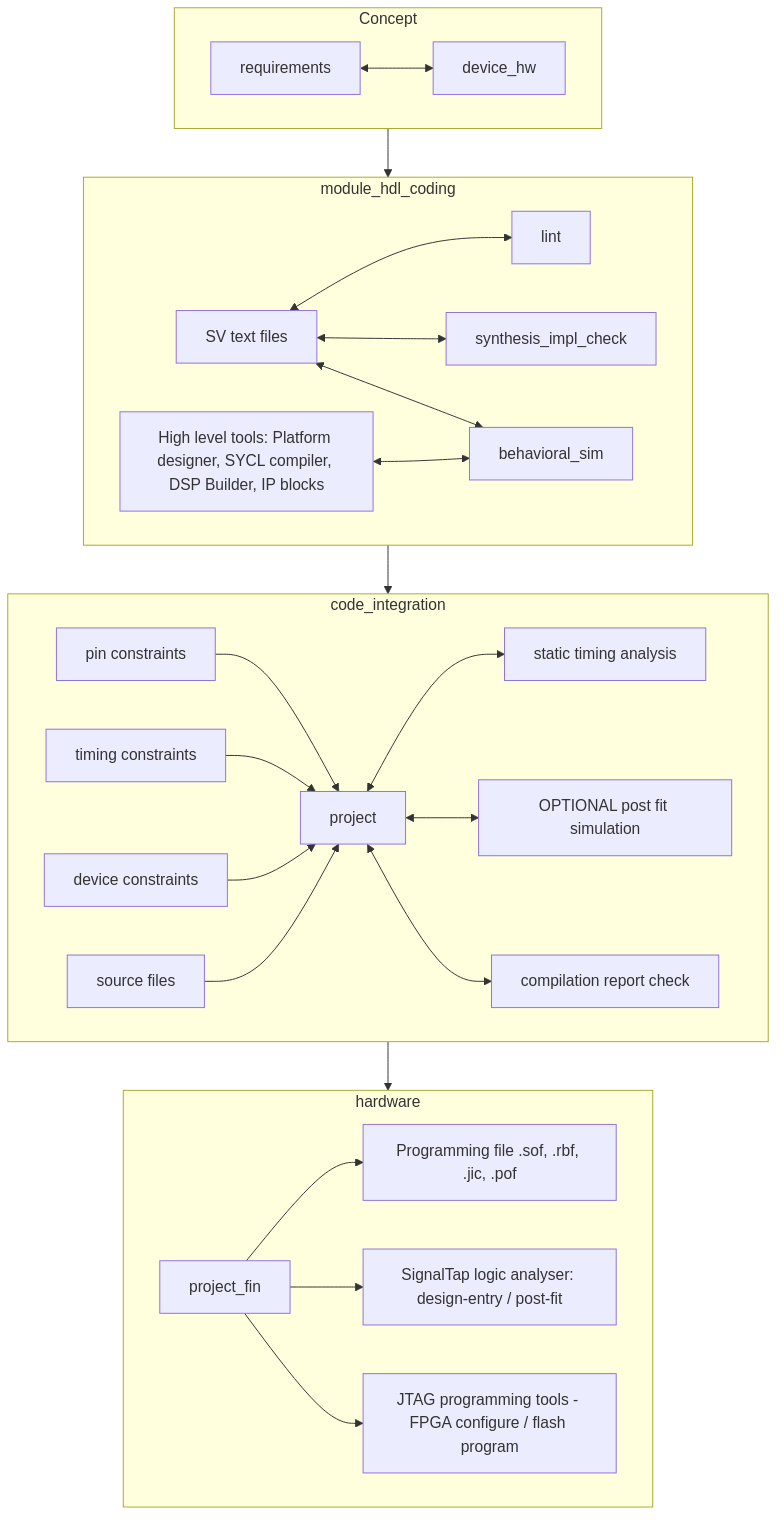
FPGA design flow

FPGA flow

Outside Quartus Prime Pro software

Installation

  • Installation
    • cmd line only available - especially suitable for headless and Dockerfile.
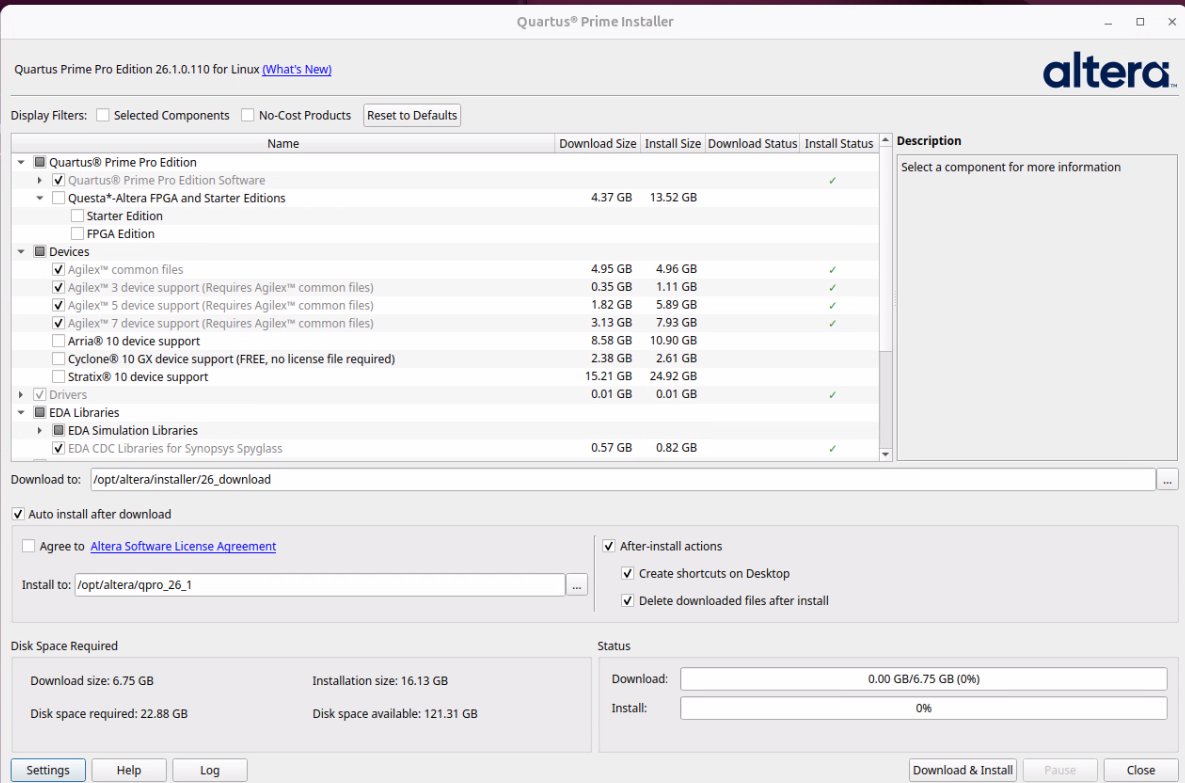
    • GUI shows you which components are available.
    • Installation may be updated later - don’t worry about missing components
installer

Exploring the software through the GUI

  • Demo

Comparison to other tools

File names

Quartus file extension usage other tools equivalent
.qpf Project file .ldf .xpr
.qsf Settings file .lpf .xdc
.qip Quartus IP file - a group of source files
.ip Quartus IP file (IP-XACT) .xml
.stp SignalTap (logic analyser) file .rvl .ltx
.vds Visual Designer Studio system (IP-XACT) .xml

Setting names

  • Assignments -> Settings

    Compiler Settings -> Advanced Settings

Quartus setting usage other tools equivalent
Fitter Initial Placement Seed Affects randomized initial placement cost table

Scripted flow

  • The GUI is good for getting started and exploring what’s possible.
  • It’s more reliable to compile from a script for production
  • Recompiling a design with unchanged sources on the same compute architecture will produce the same artifacts
    • Changing any source file will change (even non-functional changes like port list order)
    • Change Fitter Initial Placement seed to deliberately change initial placement and change artifact
    • Change in operating system (eg Windows -> Ubuntu) could change result
  • Recommendation as your design gets ready for integration, define a CI job and use docker to ensure software versions and OS/OS settings can be used. Altera builds docker images for the Quartus software available from docker hub
    • You may also want to build your own. A starter guide is provided here

Scripted flow pt 2

  • Consider .qsys and .ip files source files. The generated hdl does not need to be checked in.
  • ip-generate used to generate .ip files
    • Not required if Quartus compile flow is run first. Required if you want to run simulation first or in parallel with Quartus compilation
  • qsys-generate used to generate .qsys files
    • Not required if Quartus compile flow is run first. Required if you want to run simulation first or in parallel with Quartus compilation
  • Both hdl generation tools like to generate in-place which is awkward for version control. My suggestion is to use a generated folder with symbolic links
  • When all hdl is generated, compile using quartus_sh --flow compile <project>

Levels of preservation

  • Design Partitions allow you to freeze part of your design by the hierarchy that you define in your design entry.
  • Design Partitions may be constrained to an area of the FPGA using LogicLock regions
  • The Signal Tap Logic Analyzer may use Design Partitions to preserve all fitter results and then add the Signal Tap analyzer
  • Design Partitions and LogicLock regions are the foundation of Partial Reconfiguration where part of a design may be reconfigured (eg change protocol for attached HSSI transceiver)
  • Design partitions may be exported as .qdb files. A .qdb can be included in a project as a source file
  • Initial content of RAM may be modified without changing fitter placement and routing by using Update Memory Initialization File option

Programming files

The assembler produces a .sof (Software object file) - this file can be used with the Altera programmer to program the FPGA through the JTAG interface.

The File -> Programming File Generator or quartus_pfg can be used to make files in other formats:

  • .rbf (raw binary file) is a flat binary file intended for use with an external master to send configuration data to the FPGA.
  • .rpd (raw programming data) is a flat binary file used to program a QSPI flash for Active Serial configuration using an external programmer
  • .jic (JTAG indirect configuration) is a file used with Quartus programmer to program a QSPI flash using JTAG and a JTAG-QSPI bridge in the FPGA
  • .pof (Programmer object file) is used to program a flash when the pins are directly connected to the Altera programming file
  • .hexoutIntel HEX format text file

Debug tools

  • Configuration and JTAG chain debug icon

  • FPGA JTAG based tools

    • Signal Tap Logic Analyzer icon
    • In-System Memory Content Editor icon
    • System Console icon
      • Transceiver toolkit
      • External Memory Interface Toolkit

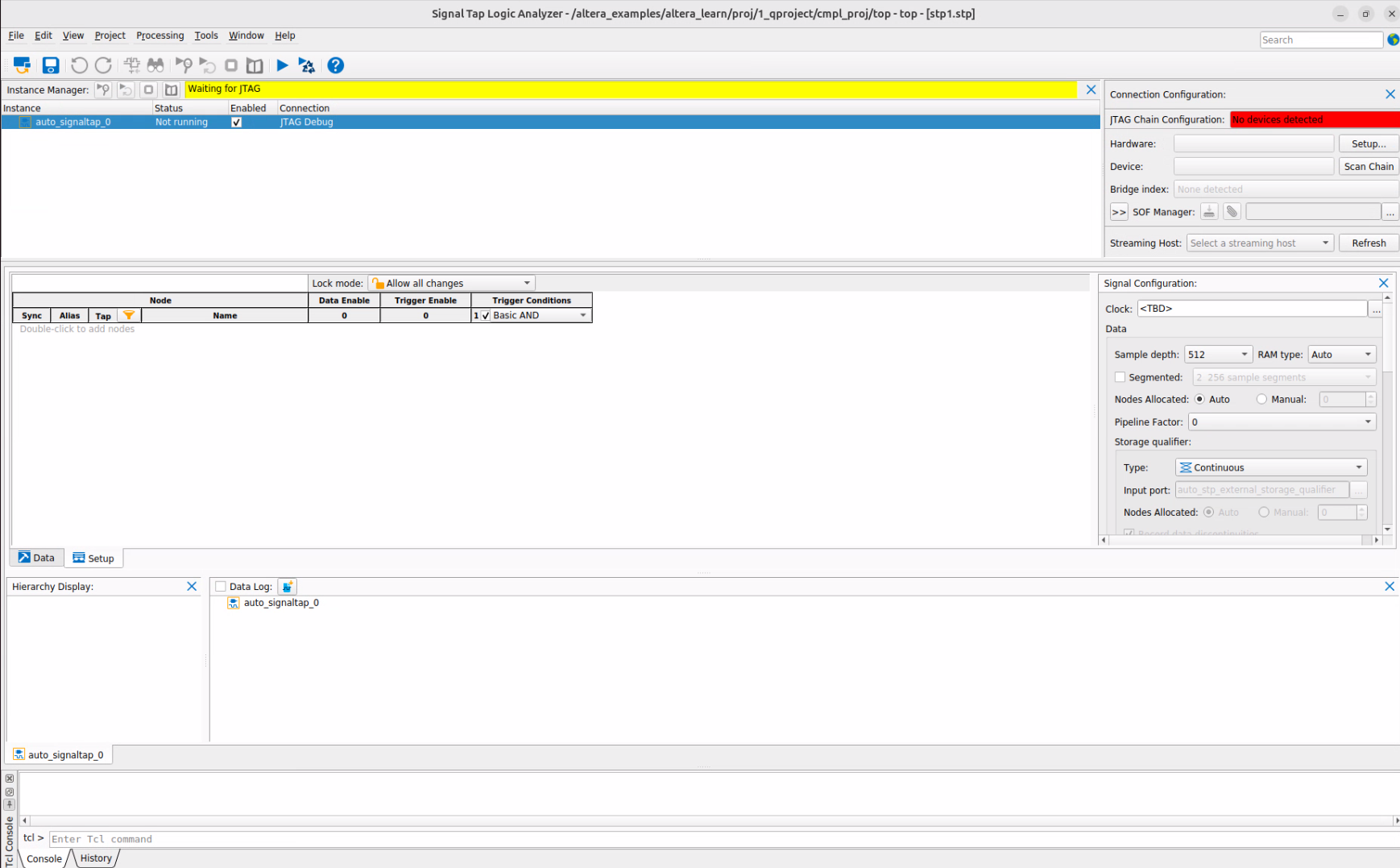
Signal Tap

screenshot